Diamond painting and cross-stitch studio
Turn any photo into a diamond‑painting pattern you can print.
5D Painting matches every part of your picture to real DMC, Anchor or Sulky colours, lets you fix any stone by hand, and prints the chart sheet by sheet.
- DMC · Anchor · Sulky
- Photos stay on your device
- Actual-size PDF charts
Drag across the picture to compare it with its pattern.
Colour key 36 × 27 stones, 10 DMC colours
- T32Dark Blueberry274
- 0336Navy Blue191
- Q939Navy Blue Very Dark187
- C823Navy Blue Dark97
- [3835Grape Medium61
- 433Fuchsia60
- Y316Antique Mauve Med36
- 53778Terra Cotta Light25
- Z3022Brown Gray Med21
- 6743Yellow Med20
How it works
From photo to chart in four steps
Open a photo
Drop in a JPEG, PNG, WebP, TIFF or BMP, or reopen a saved project. The pattern appears as soon as the image loads.
Choose size and colours
Set the width in stones or millimetres, the drill size, and how many colours. Smart palettes keep faces and fine lines readable.
Touch it up by hand
Paint, erase, draw shapes, swap colours, clean up scattered single stones, and add names and dates in stone lettering.
Print the chart
Export an actual-size PDF split into sheets, with symbols and a colour key, or PNG, SVG, Excel and OXS files.
The studio
A real studio, on your desktop or in the browser
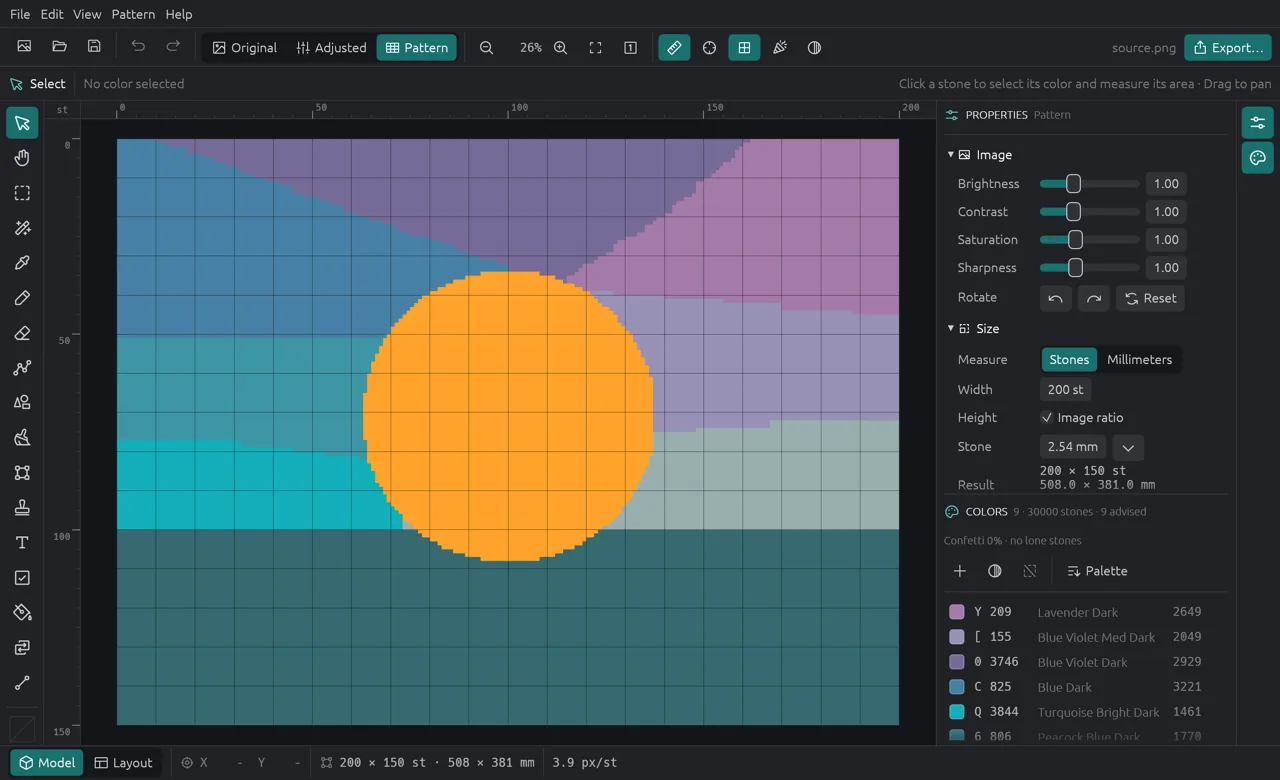
Rulers in stones or millimetres, a tool rail, undo for every edit, and a colour list that works like layers. Mark stones as done while you paint, and pick up where you left off.
Exports
Charts that are easy to follow
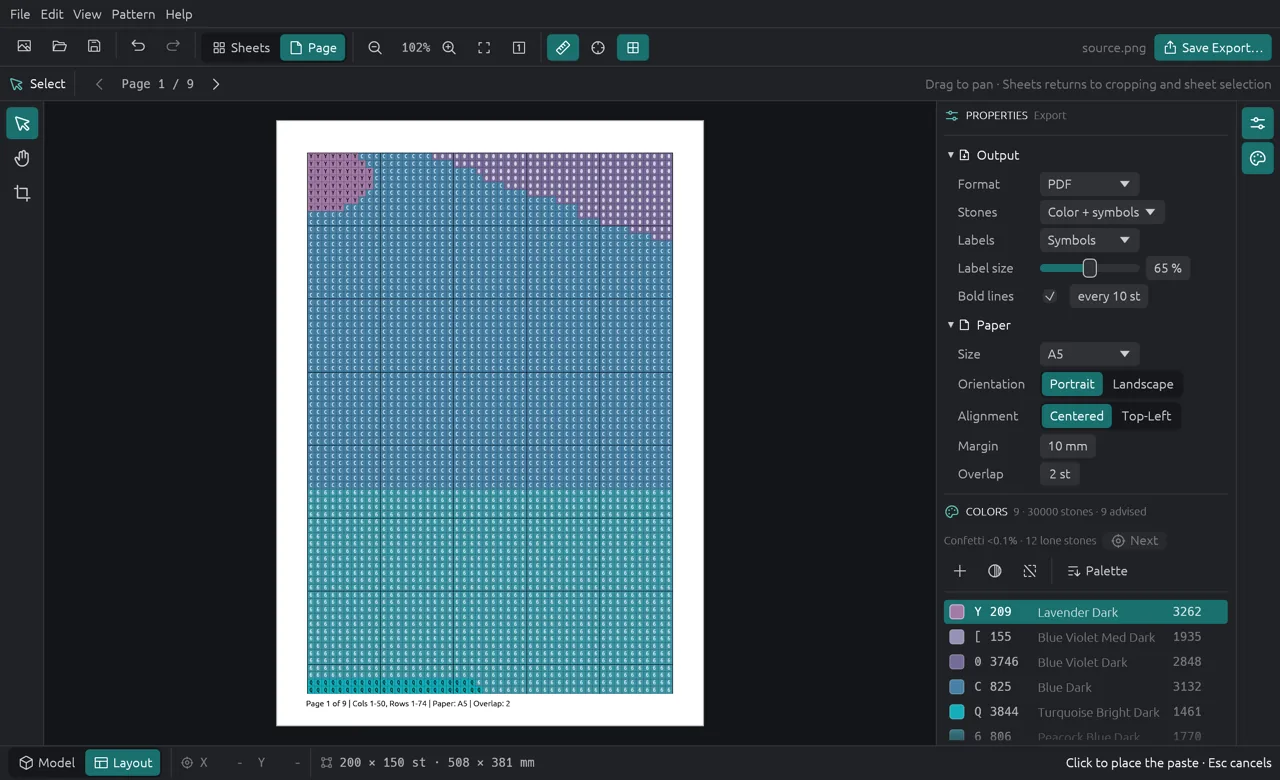
Every export uses the same symbols and colour key, so the chart on paper matches the one on screen.
- Actual size, split across A4 or Letter sheets with overlap, page numbers and a key.
- PNG and SVG
- The whole pattern in colour, with symbols, or in black and white.
- Excel
- A cell per stone and a sheet with the colour key.
- OXS
- Opens in other cross-stitch programs.
Keys count the drills of each colour, or the thread length and skeins for cross-stitch.
One subscription, three computers and the browser
Use 5D Painting on up to three of your computers and in any browser with one account. Start with a free trial, no card needed.
Questions
Good to know
Which colours can I use?
DMC (489 colours), Anchor (442) and Sulky Rayon (333), or the picture's own colours. You can limit a brand to the threads you already own.
Does it work for cross-stitch too?
Yes. Choose a fabric count instead of a drill size; keys then show thread length and skeins per colour.
Do I need to install anything?
No. The studio runs in your browser. The desktop app is there if you prefer it.
Are my photos uploaded?
No. Photos stay on your computer or in your browser, and patterns are made there too.